
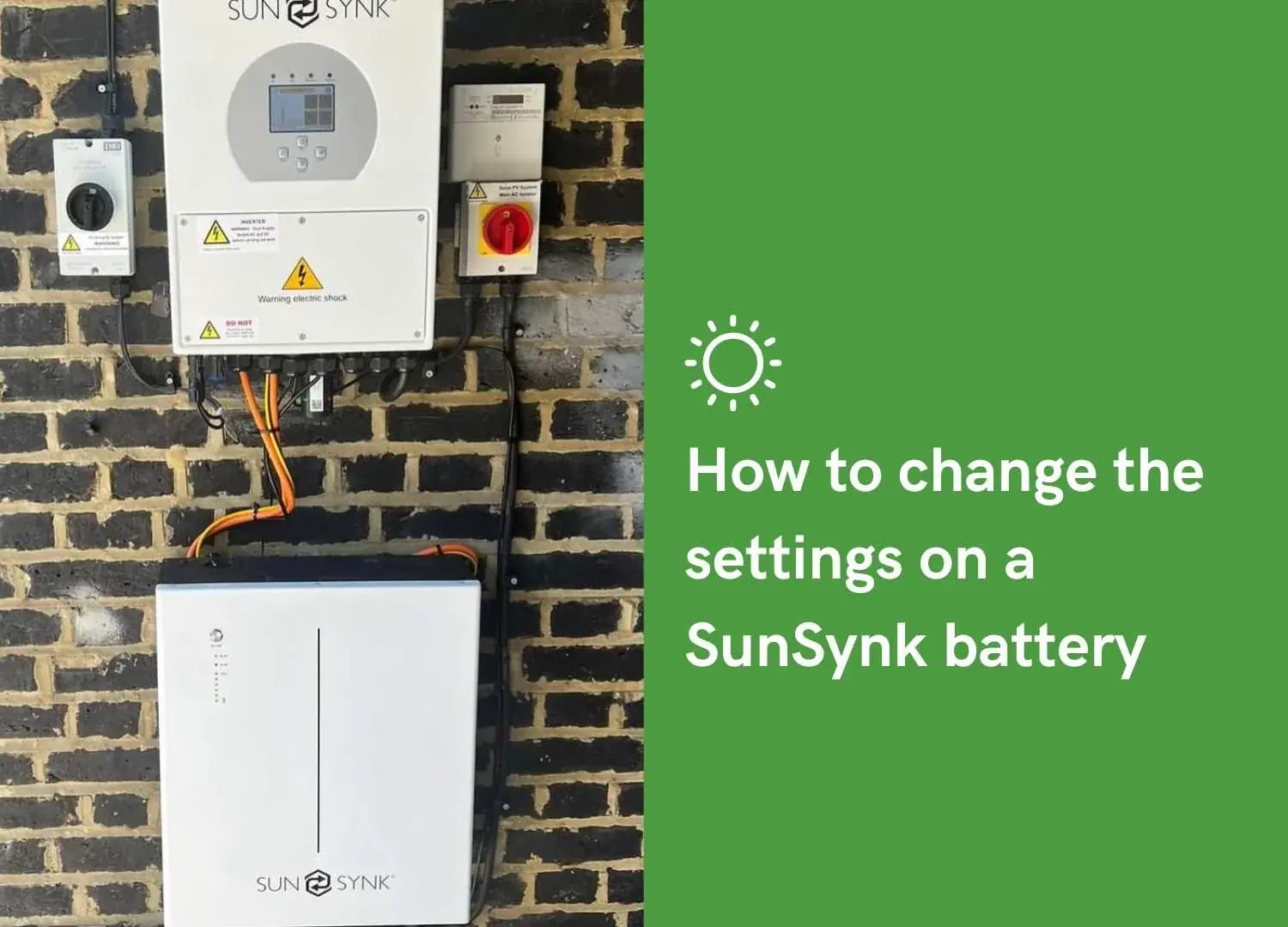
How to Change Sunsynk Battery Settings
Almost everything you need is on two pages of the Sunsynk touchscreen: Battery Setup for the battery itself, and System Mode for the Time of Use timers that decide when it charges and discharges. This guide walks through both, gives example tariff setups you can copy as a starting point, and covers the four problems people hit most often.
Quick steps: how to reach the battery settings menu
- Tap the inverter's LCD screen to wake it. The home screen shows PV, battery, grid and load figures.
- Tap the gear / settings icon at the bottom of the home screen.
- Enter the password if your inverter asks for one. Basic pages are usually open, deeper pages are installer protected.
- Tap Battery Setup for battery type, capacity, charge and discharge current, and the Shutdown / Restart / Low Batt percentages.
- Tap System Mode for the Time of Use table: six time slots, each with a power limit, an SOC target and a Grid Charge tick box.
- Tap the value you want to change and enter the new number on the keypad.
- Press the tick / save icon on that page before you leave it. Nothing applies until you save.
[SCREENSHOT: Sunsynk home screen with the gear icon highlighted]
[SCREENSHOT: Battery Setup menu]
Where to find battery settings on a Sunsynk inverter
From the home screen, the gear icon opens the settings pages. The ones that matter for battery behaviour are:
| Page | What it controls |
|---|---|
| Battery Setup | Batt Type, Batt Capacity, max charge and discharge current, Shutdown, Restart, Low Batt |
| System Mode | Time of Use timers, SOC targets per slot, grid charge, export priority |
| Grid Setup | Grid code, export limits, CT settings |
| System Info | Firmware version, serial number, fault log |
One thing worth knowing before you start: the inverter will happily let you save a setting that makes no sense for your battery. Write down what the settings were before you change them.
How to change settings in the Sunsynk Connect app
Sunsynk Connect gives you the same monitoring data remotely, and depending on your account it can also let you change settings without standing in front of the inverter. You'll need a WiFi or LAN dongle fitted and the plant online.
Getting set up:
- Download Sunsynk Connect and create an account.
- Your installer adds you to the plant, or you add the inverter yourself using the dongle serial number.
- Open the plant, choose the inverter, then the settings tab.
[SCREENSHOT: Sunsynk Connect app settings tab]
Installer vs end user permissions. A new account on the Sunsynk Connect app or the sunsynk.net portal is given basic access by default, which is view only, with no ability to change settings at all. That applies to installer accounts as well as homeowners (Sunsynk support: plant ownership and sharing). Editing rights have to be granted, either by the person who owns the plant or by Sunsynk support.
So if the settings tab is there but every field is greyed out, your account almost certainly hasn't been given permission yet. Ask your installer before you assume something's broken.
Remote changes take a minute or two to reach the inverter, and they only land if the dongle has signal. Always go back and confirm the value stuck.
Key Sunsynk battery settings explained
Battery type and capacity
Set Batt Type to match what's fitted, which is Lithium for any modern pack, then select the correct BMS protocol code for your brand.
Batt Capacity is the total storage installed across all your packs, entered in amp hours. If your battery is quoted in kWh, divide by its nominal voltage to get there, so a 5.12kWh pack at 51.2V is 100Ah, and two of them is 200Ah. Get this figure wrong and every SOC percentage the inverter reports afterwards is wrong too.
Shutdown, Restart and Low Batt
Three percentages, easily confused:
- Shutdown: the inverter stops drawing from the battery at this SOC. Your floor.
- Restart: once SOC climbs back above this, output resumes.
- Low Batt: the alarm threshold, a warning rather than a cut-off.
Sunsynk's own guidance is to set Restart around 10% above Low Batt (Sunsynk support). A common domestic starting point is Shutdown 10%, Low Batt 15%, Restart 25%, but your battery manufacturer's minimum SOC takes priority over any general figure. If your battery's datasheet says don't go below 20%, don't.
Max charge and discharge current
Set in amps, not watts. The sum is straightforward: amps × battery voltage = watts. Sunsynk's example is 70A × roughly 50V for a low voltage battery, giving about 3,500W. Never set a current above what the battery manufacturer allows, even if the inverter can push more. Charging harder than the pack is rated for shortens its life and can void the warranty.
Grid charge on or off
Grid charge is what lets the battery fill from the mains rather than from the sun. On the System Mode page it's a tick box per time slot, not one global switch, which is what catches most people out. No tick, no grid charging in that window.
The Time of Use table
Six slots. For each one you set:
- Time: when the slot starts. The six times run in order and each slot stays active until the next start time comes round, so the table wraps naturally through midnight and the last row of the day runs until the first row the next morning.
- Power: the maximum charge or discharge power for that slot in watts.
- SOC: the target. With Grid Charge ticked, the battery charges up to this percentage. With it unticked, this is the level the battery is allowed to discharge down to.
- Grid Charge: tick to allow charging from the mains during that slot.
Because the rows are start times in ascending order, a cheap rate window that straddles midnight needs two rows rather than one. There's an example below. The other thing to watch is the Use Timer box, which has to be ticked or the whole schedule is ignored.
[SCREENSHOT: System Mode Time of Use table with grid charge ticked]
Recommended Sunsynk setups by tariff
Starting points, not rules. The right numbers depend on your battery size, your tariff windows and how much electricity you actually get through in an evening. Check your own tariff times before copying anything here, because suppliers change them.
Overnight cheap rate tariff (Octopus Go style, 00:30 to 04:30)
| Slot | Time | Power | SOC | Grid charge |
|---|---|---|---|---|
| 1 | 00:30 | Max | 100% | Ticked |
| 2 | 04:30 | Max | 10% (your Shutdown value) | Unticked |
| 3 | 08:00 | Max | 10% | Unticked |
| 4 | 12:00 | Max | 10% | Unticked |
| 5 | 16:00 | Max | 10% | Unticked |
| 6 | 20:00 | Max | 10% | Unticked |
For an Intelligent Octopus Go style window of 23:30 to 05:30, use slot 1 at 00:00 charging to 100%, slot 2 at 05:30 dropping to your Shutdown value, then the last slot at 23:30 back to 100% with grid charge ticked. That covers the window either side of midnight using two rows.
One tip for summer: if there's plenty of sun coming, charging to 100% overnight leaves nowhere for the solar to go. Dropping the overnight target to 50 or 60% between May and August often works out better. What you save depends on your usage, generation and tariff rates.
Standard single rate tariff
With one price all day there's no point importing to charge. Leave Grid Charge unticked on all six slots and set every SOC to your Shutdown value, so the battery only ever fills from solar and is free to discharge whenever the house needs it. The main reason to touch the timers at all is to hold some charge back for the evening, which you'd do by raising the SOC floor during the middle of the day.
If you're on a single rate tariff and have a battery, it's worth pricing up a time of use tariff. That's usually a bigger win than any setting on the inverter.
Winter vs summer settings
Winter. Solar generation is a fraction of the summer figure, so the battery is mostly working your tariff rather than storing sunshine. Charge to 100% overnight, and if your battery is small relative to your evening use, consider a second short grid charge slot in the afternoon before the 16:00 to 19:00 peak.
Summer. Leave headroom for the solar. Lower overnight grid charge targets, or switch grid charging off entirely on bright weeks, and let the panels do the work. Sitting at 100% SOC for long periods is not great for a lithium pack either.
Two changes a year is plenty. You don't need to fiddle with this weekly.
Common Sunsynk problems and fixes
Battery won't charge from the grid. Check the Grid Charge box is ticked on the slot that's currently running, not just on one of the six. Then check Use Timer is enabled, that the slot's SOC target is above the current battery SOC, and that the slot times actually cover now. Conflicting timers are a common cause, and Sunsynk has a support article specifically on timer conflicts stopping overnight charging.
Battery drains overnight. Usually the SOC values in the evening and night slots are set too low, so the inverter is allowed to empty the pack. Raise the SOC floor on the overnight slots. Also check what's on the backup or essential loads circuit, since an immersion heater or EV charger on the wrong side of the board will empty a battery fast.
SOC reading stuck or jumping. Normally a BMS communication problem rather than a settings problem. Check Batt Type, the protocol code and the capacity figure are right for your pack, check the comms cable is seated at both ends, and let the battery do a full charge to 100% so the BMS can recalibrate. If it stays stuck, that's an installer job.
Settings greyed out in the app. Nearly always account permissions, because Sunsynk gives new accounts view-only access until editing rights are granted. It can also happen when the plant is offline, since the app won't let you change what it can't reach. Check the dongle status first, then ask whoever commissioned the system to upgrade your access.
Sunsynk battery not charging from the grid? Check these settings
Most grid charging faults come down to the timer settings, not a faulty battery. Work through these checks in order, using Sunsynk's own documentation as your reference.
- Use Timer is ticked. In System Mode Settings, on the System_1 tab, tick Use Timer. This is the first step in Sunsynk's not-charging checklist. (Battery not charging or discharging)
- Grid Charge is switched on. Sunsynk's battery settings guide says this setting must be turned on if you want to charge from the grid. (Understanding the battery settings)
- Grid Charge is ticked on the time slot that is running, and its SOC target is set. With the box ticked the batteries charge up to that slot's SOC; if it is unticked they discharge down to it. Sunsynk also says to align the slot SOC values with your Low Batt setting. (System Mode Settings)
- The six timers run in order. Each timer must follow the one before, in chronological order across the 24 hours. (System Mode Settings)
- The maximum charge current is set. Sunsynk describes the grid charge amps as what sets the power available to charge the batteries from the grid. (Understanding the battery settings)
- The battery is communicating. On the Li-BMS screen you should not see a screen full of zeros, and Battery Settings must be set for a lithium battery with the correct capacity. (Battery not charging or discharging)
If all six look right and the battery still will not charge, leave the wiring and firmware to your installer. Reading your data in the app can also show when charging actually happens: see our beginner's guide to reading your solar monitoring app, or our solar monitoring service. If you want more capacity rather than better settings, read can I add extra batteries to a solar system.
When to call an installer
Software settings you can reasonably change yourself: time slots, SOC targets within your battery's rated range, grid charge tick boxes, and seasonal tweaks.
Leave these to a qualified installer:
- Grid code, export limits and G99 settings. Changing these can put you outside your DNO agreement.
- Charge or discharge currents above the battery manufacturer's rating, which risks the warranty.
- Shutdown or minimum SOC below the battery's stated floor.
- Batt Type or BMS protocol changes after commissioning.
- Anything involving covers, wiring, CT clamps or DC isolators. That's not a settings job at all.
- Firmware updates, unless your installer has told you it's fine to run them yourself.
UK domestic battery installations also fall under PAS 63100:2024, the fire safety standard, which is one more reason physical work stays with the professionals.
Get CRG Direct to set it up for you
We install and support Sunsynk systems across the South and South East, and we'll set the timers up around your tariff and how your household actually uses electricity rather than leaving you on factory defaults. MCS Certified, HIES Accredited.
Call 0330 133 2497 or email info@crgdirect.co.uk to arrange a visit.
Thinking about more storage before you start tuning what you have? Read can I add extra batteries to a solar system, or see our battery storage service.
FAQs
What should my Sunsynk battery shutdown percentage be?
Most domestic lithium systems sit between 10% and 20%, and the deciding factor is your battery manufacturer's minimum SOC rather than the inverter. Sunsynk's guidance is to keep Restart about 10% above the Low Batt alarm value, so a typical set is Shutdown 10%, Low Batt 15%, Restart 25%. If you want a backup reserve for power cuts, set Shutdown higher, knowing you're keeping that slice of the battery out of everyday use.
Why won't my Sunsynk battery charge from the grid?
The usual cause is the Grid Charge box not being ticked on the time slot that's currently active, because it's set per slot and not once for the whole system. After that, check Use Timer is on and that the slot's SOC target is higher than the current charge level. Conflicting timer rows are a known cause of overnight charging failing.
Can I change Sunsynk settings without an installer password?
Some of them. Time of Use slots and SOC targets are usually available to the end user, while grid code, export limits and protection settings are locked behind installer access. In the app it's account permissions rather than a password, and Sunsynk sets new accounts to view only until someone grants editing rights. If something's greyed out, speak to your installer rather than hunting for a password online.
How do I set Sunsynk to charge on cheap rate electricity?
Go to System Mode, tick Use Timer, then set a slot to start at the beginning of your cheap window with Grid Charge ticked and an SOC target of 100%. Set the next slot to start when the cheap rate ends, with Grid Charge unticked and the SOC dropped to your Shutdown value so the battery discharges through the day. If your cheap window crosses midnight, use two rows, one running up to midnight and one starting at 00:00.